In Tutorial 02, you worked with agents to produce work,
which created sessions with agents that we haven’t seen yet. In this tutorial,
you’ll see and talk with agents via sessions as well as see how agents talk to
each other. You’ll also learn the difference between “polecats” (agents spun up
on demand to handle work) and “crew” (persistent agents with named sessions),
To continue with this tutorial, start from where the last two tutorials left
off: the city root has pack.toml and city.toml, and Tutorial 02 added the
reviewer under agents/reviewer/:
~/my-city
$ cat pack.toml
[pack]
name = "my-city"
schema = 2

[[named_session]]
template = "mayor"
mode = "always"

~/my-city
$ cat city.toml
[workspace]
provider = "claude"

[[rigs]]
name = "my-project"

~/my-city
$ cat agents/reviewer/agent.toml
dir = "my-project"
provider = "codex"
.gc/site.toml instead:
workspace_name = "my-city"

[[rig]]
name = "my-project"
path = "/Users/csells/my-project"
agents/reviewer/prompt.template.md. This is the
standard city shape: root config files plus per-agent directories under
agents/.
Looking in on Polecats
Every provider — Claude, Codex, Gemini, etc. — has its own way of managing
conversations. Gas City normalizes all of that behind a single abstraction
called a session. A session is a live process with its own terminal, state,
and conversation history.
When you sling a bead, you’re creating a session. For a transient polecat
session, the easiest way to inspect it is to look up the live session ID and
then pass that to gc session peek:
~/my-project
$ gc session list --template my-project/reviewer
ID       TEMPLATE              STATE     REASON  TARGET        TITLE     AGE  LAST ACTIVE
mc-8sfd  my-project/reviewer   creating  create  reviewer-a1b  reviewer  1s   -

~/my-project
$ gc session peek mc-8sfd
› [my-project] reviewer • 2026-04-07T11:56:59

  Run `gc prime` to initialize your context.

  # Code Reviewer Agent
  You are an agent in a Gas City workspace. Check for available work and
  execute it.

  ## Your tools
  - `bd ready` — see available work items
  - `bd show <id>` — see details of a work item
  - `bd close <id>` — mark work as done

  ## How to work
  1. Check for available work: `bd ready`
  2. Pick a bead and execute the work described in its title
  3. When done, close it: `bd close <id>`
  4. Check for more work. Repeat until the queue is empty.

  ## Reviewing Code
  Read the code and provide feedback on bugs, security issues, and style.

... # content elided

• Ran bd ready --json
  └ warning: beads.role not configured (GH#2950).
      Fix: git config beads.role maintainer
    … +282 lines
      }
    ]

• The ready queue has one task that is explicitly routed to the reviewer agent:
  mp-p956, “Review hello.py and write review.md with feedback.” I’m pulling the
  bead details and the target file now, then I’ll write the review and close
  that item.

• Explored
  └ List rg --files -g hello.py -g review.md

• Ran bd show mp-p956 --json
  └ [
      {
    … +27 lines
      }
    ]

• Working (43s • esc to interrupt)
gc prime for our reviewer agent as the first
input to the codex CLI. That’s how GC lets Codex know how to act. Then you’ll
notice Codex acting on those instructions by looking for the beads that are
ready for it to act on. It finds one, executes it and out comes our review.md
file.
When an agent has no work to do, it will go idle. And when it’s been idle in a
session created for it to handle work that was slung to it, that session will be
cleanly shutdown by the GC supervisor process. These transient sessions are
often used by one-and-done agents know as “polecats”. While you could talk to
one interactively, they’re configured to execute beads, go idle and have their
sessions shutdown ASAP.
If you want an agent to talk to, you’ll want one configured for chatting
called a “crew” member.
Chatting with Crew
Recall from our reviewer agent that it’s prompt was authored to ask it to look
for and immediately start executing work assigned to it. While that work is
active, you can see it in the list of sessions:
~/my-project
$ gc session list
2026/04/07 21:50:21 tmux state cache: refreshed 2 sessions in 3.82725ms
ID       TEMPLATE              STATE     REASON          TARGET        TITLE     AGE  LAST ACTIVE
mc-8sfd  my-project/reviewer   creating  create          reviewer-a1b  reviewer  1s   -
mc-5o1   mayor                 active    session,config  mayor         mayor     10h  14m ago
~/my-project
$ gc session peek mayor --lines 3

City is up and idle. No pending work, no agents running besides me. What would
  you like to do?
pack.toml file, you’ll see the named session that keeps it
alive:
...
[[named_session]]
template = "mayor"
mode = "always"
...
~/my-project
$ gc session attach mayor
2026/04/07 22:03:26 tmux state cache: refreshed 1 sessions in 3.828541ms
Attaching to session mc-5o1 (mayor)...
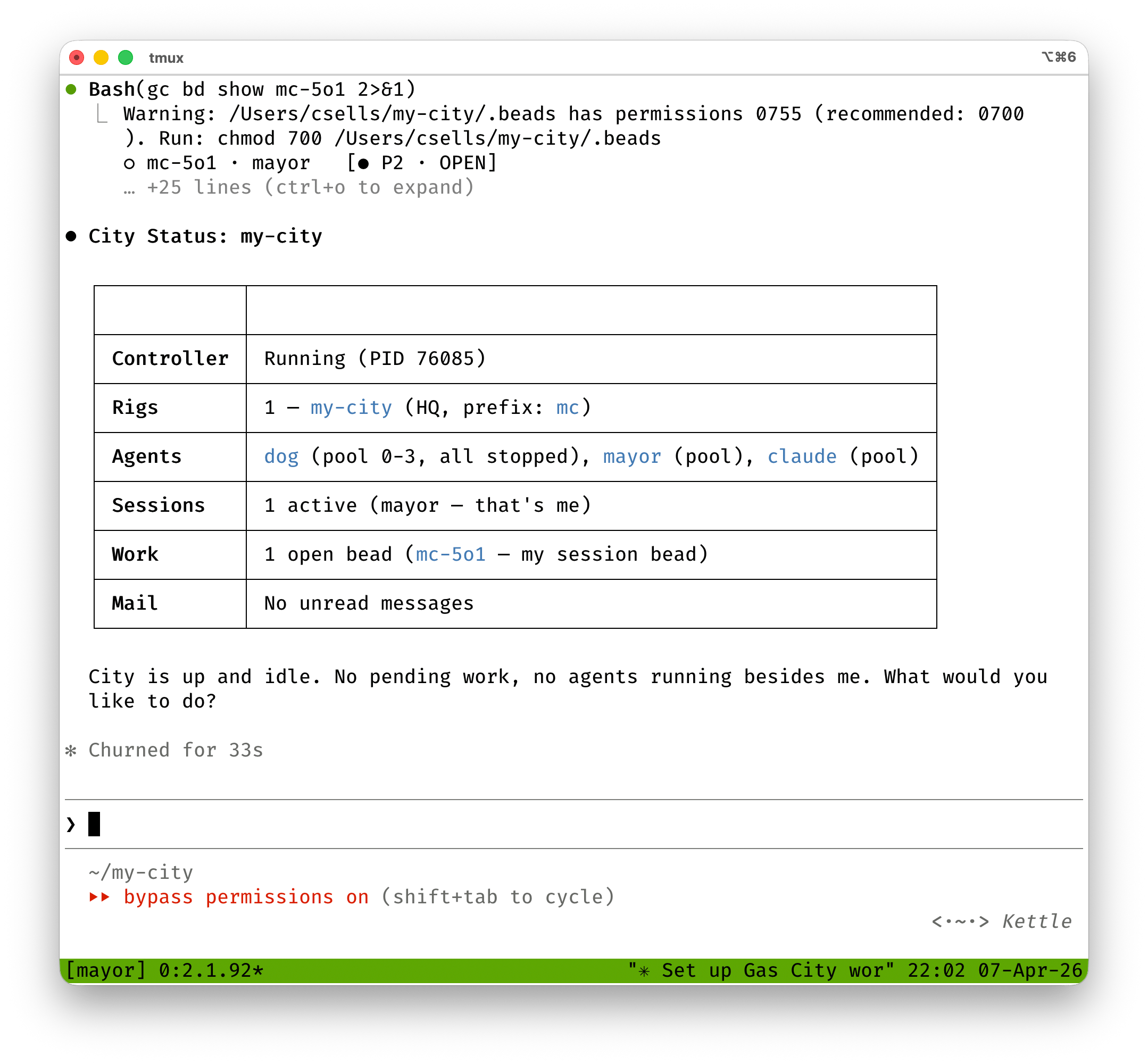 You’re in a live conversation. The agent responds just like any chat-based
coding assistant, but with the full context of its prompt template.
To detach without killing the session, press
You’re in a live conversation. The agent responds just like any chat-based
coding assistant, but with the full context of its prompt template.
To detach without killing the session, press Ctrl-b d (the standard tmux
detach). The session keeps running in the background. You can reattach anytime.
You can also interact with running sessions without attaching. You’ve already
seen what peeking looks like. You can also “nudge” it, which types a new message
into the session’s terminal:
~/my-city
$ gc session nudge mayor "What's the current city status?"
2026/04/07 22:07:28 tmux state cache: refreshed 2 sessions in 3.765375ms
Nudged mayor or Queued nudge for mayor.
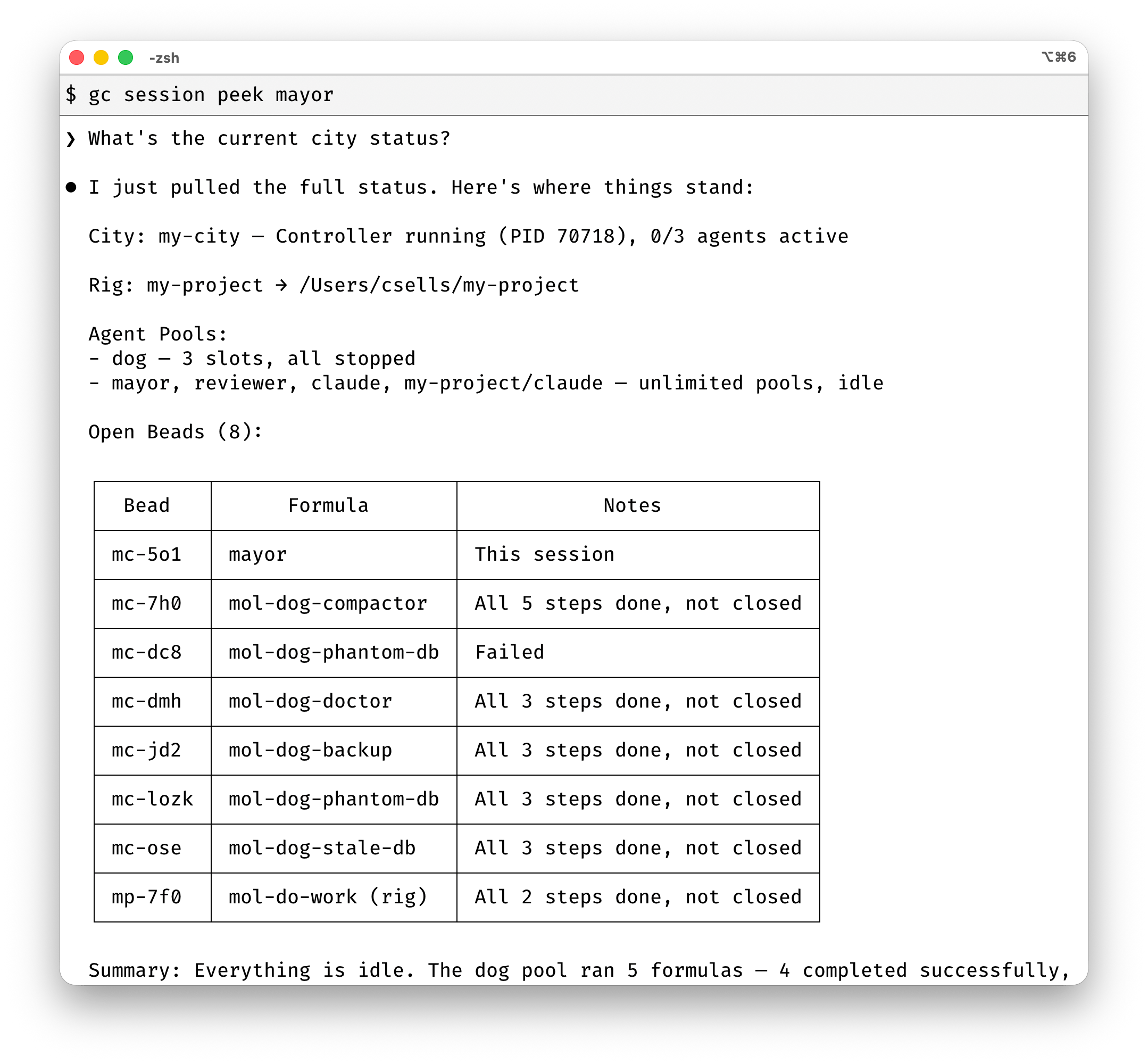 To get a feel for whats’s happening in your city, you can see all running
sessions:
To get a feel for whats’s happening in your city, you can see all running
sessions:
~/my-city
$ gc session list
ID    TEMPLATE  STATE   REASON          TARGET  TITLE  AGE  LAST ACTIVE
my-4  mayor     active  session,config  mayor   mayor  2m   5s ago
Session logs
Peek shows the last few lines of terminal output. Logs show the full
conversation history:
~/my-city
$ gc session logs mayor --tail 2
07:22:29 [USER] [my-city] mayor • 2026-04-08T00:22:24
Check the status of mc-wisp-8t8

07:22:31 [ASSISTANT] [my-city] mayor • 2026-04-08T00:22:31
mc-wisp-8t8 is a review request for the auth module. I've routed it to
my-project/reviewer.
--tail N prints the last N transcript entries (same convention as tail -n),
so --tail 2 above shows the most recent user prompt and the mayor’s reply.
Compact-boundary dividers count as entries if one lands inside that final
window. Use --tail 0 to print the whole conversation. Compatibility note:
before 1.0, --tail counted compaction segments; as of 1.0 it counts
displayed transcript entries instead. The HTTP API’s tail query parameter
still counts compaction segments. Follow live output with -f:
~/my-city
$ gc session logs mayor -f
~/my-city
$ gc session nudge mayor "What's the current city status?"
Nudged mayor or Queued nudge for mayor.
Useful for watching what a background agent is doing without attaching and
potentially interrupting it. Peek shows the terminal; logs show the
conversation as new user and assistant messages arrive.
What’s next
You’ve seen how sessions are created on demand for slung work, how named
sessions keep crew agents alive, and how to peek, attach, nudge, and read logs.
From here:
- Agent-to-Agent Communication — how agents
coordinate through mail, slung work, and hooks
- Formulas — multi-step workflow templates with
dependencies and variables
- Beads — the work tracking system underneath it all
Last modified on June 1, 2026
